See What's Happening
Across Your Workforce
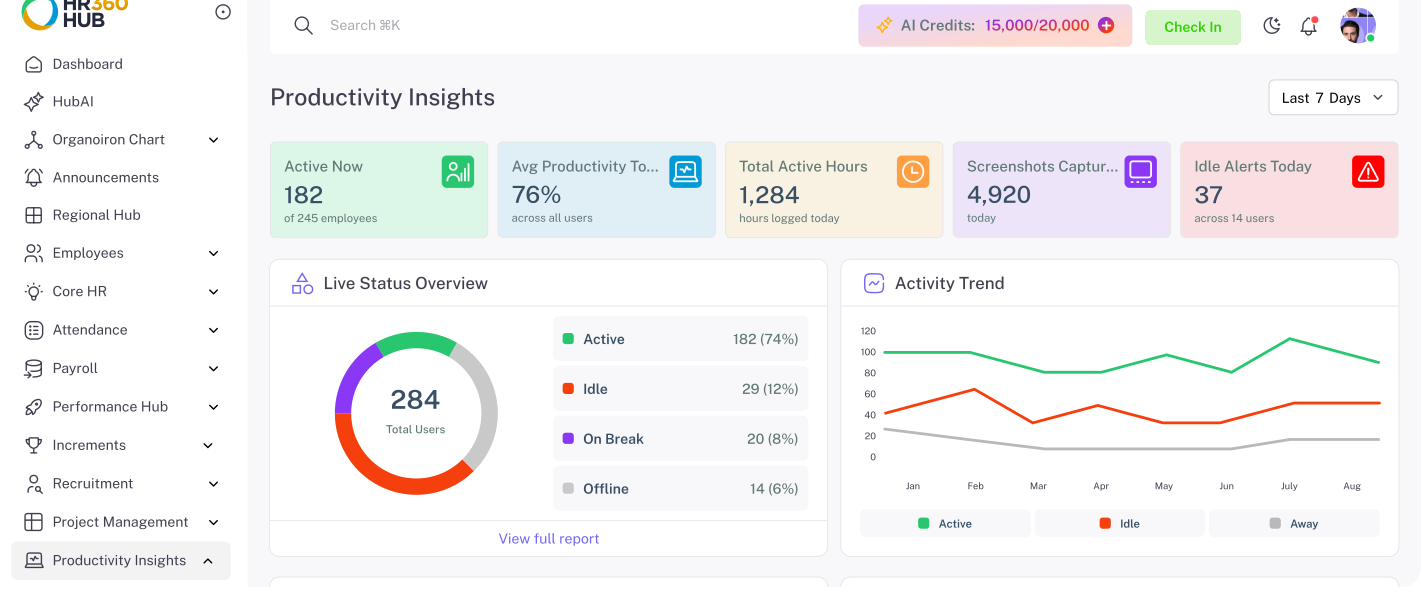
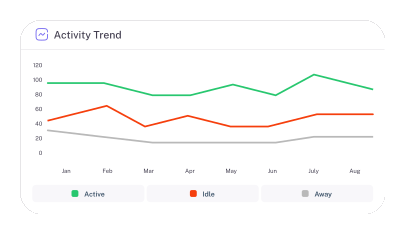
Live attendance KPIs, desktop activity monitoring with screenshots, employee rankings, department comparisons, and overtime trends in one dashboard your managers open every morning.
Stop Guessing. Start with Real Data.
See who's present, who needs attention, and where productivity is dropping before you ask. Screenshots, activity trends, attendance patterns, and employee rankings give you complete visibility into your workforce so you can make data-driven decisions about scheduling, support, and performance.
Your Entire Workforce on One Screen
Present, absent, late, on leave. Updated in real time.
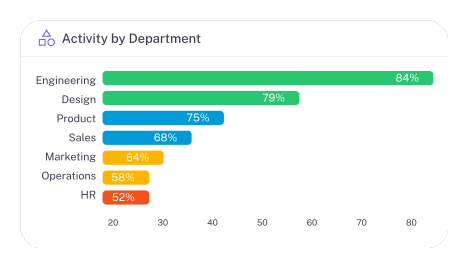
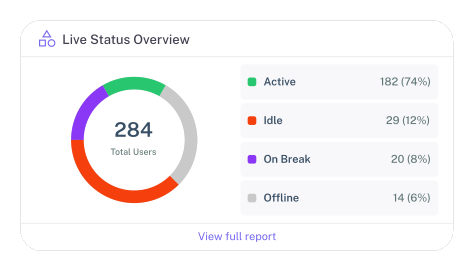
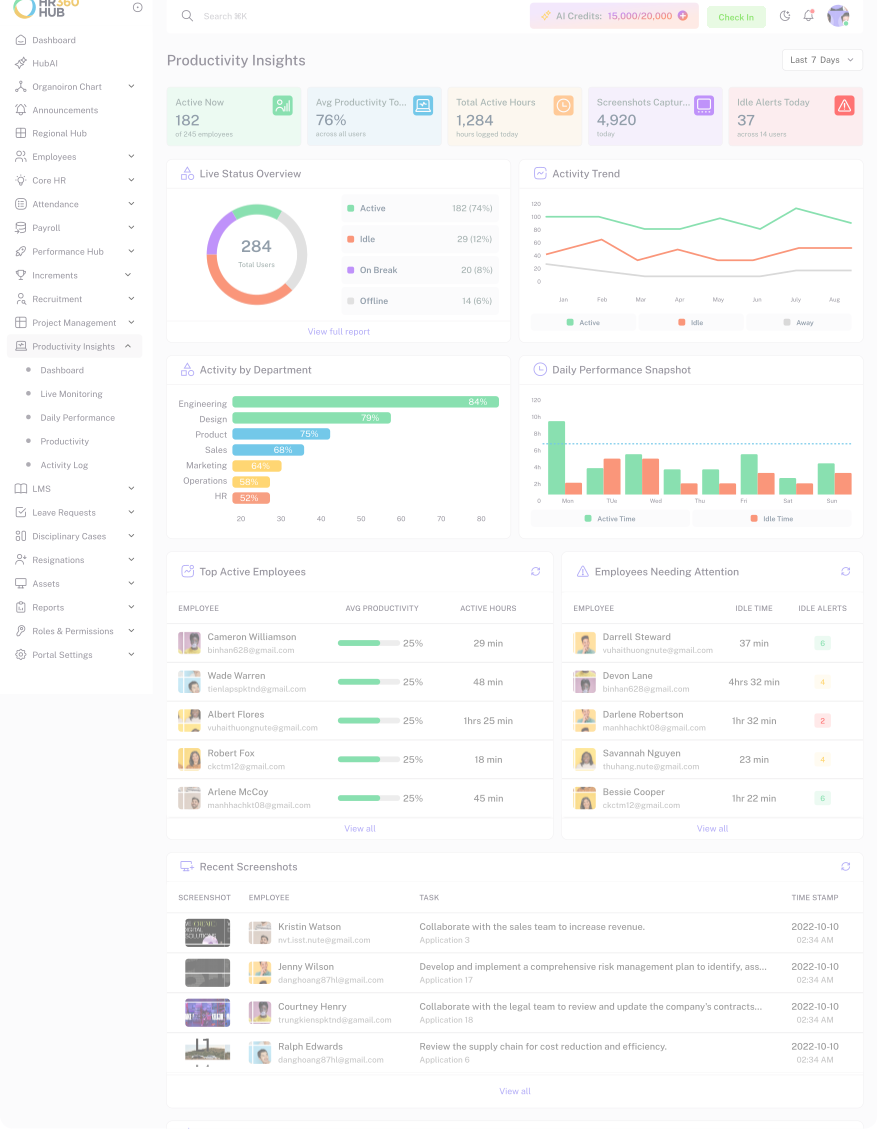
Open the Productivity Insights dashboard and instantly see who's in, who's running late, and which departments are fully staffed. Attendance trends, overtime requests, and status breakdowns update as your day unfolds.
- Live Present / Absent / Late Counts
- Department-wise Attendance Comparison
- Overtime Requests at a Glance

 HUB AI
Ask HubAI About
Your Productivity
Who was late most this week? Which department has the highest overtime? Which employees need support? Just ask. HubAI reads your productivity data and gives you a clear answer in plain language, no filters, no exports, no digging.
See Every Dimension of Your Workforce
From live status to screenshots to employee rankings.
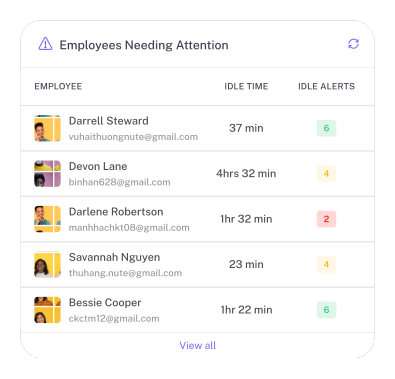
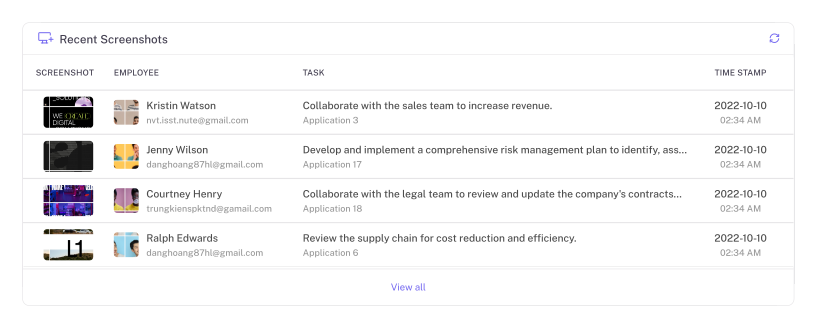
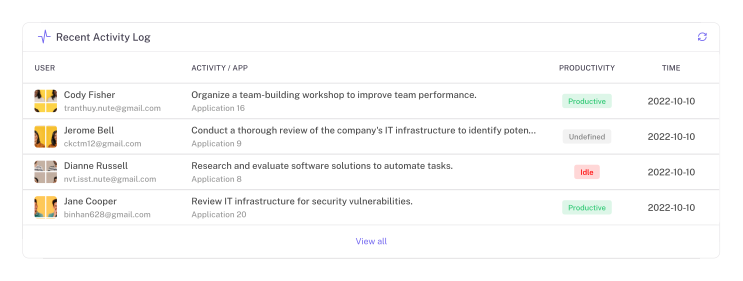
Turn Screenshots and Data into Actionable Insights
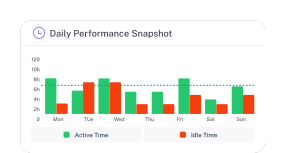
Know exactly what your team is working on, when they're active, and which projects consume their time. Identify bottlenecks, distractions, and opportunities to support productivity.
Frequently Asked Questions
Have more questions?
HR360HUB Productivity Insights provides a centralized, real-time view of workforce activity, employee productivity trends, active working hours, and attention areas across your organization.
Our desktop application securely tracks active keyboard/mouse time and task engagement, transforming raw activity data into actionable productivity metrics for managers.
Yes. Employees get access to their personal dashboard to monitor logged hours, active time, and daily goal completion — empowering transparency and self-management.
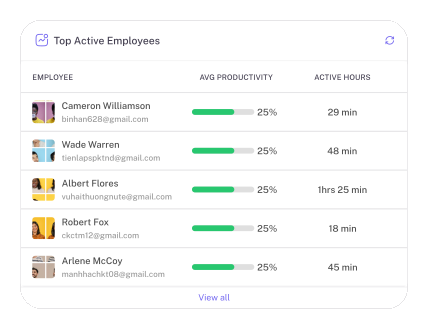
See top productive employees by average working hours, most punctual team members, and employees with highest break-time averages — all filterable by department and date range.
Automated screenshots are captured periodically from employee desktops with keyboard/mouse activity percentages. Each screenshot shows the associated project/task context, and you can filter by employee, project, date range, or keywords.
Yes. HubAI's HR Insights Agent integrates directly with your productivity data — ask natural language questions like 'Which team has the most overtime this month?' and get instant, data-backed answers.
Book a demo Ready for a Smarter HR?
Stop wasting hours on repetitive HR tasks. Let HubAI automate daily operations, generate instant reports, and simplify workforce management from one platform.